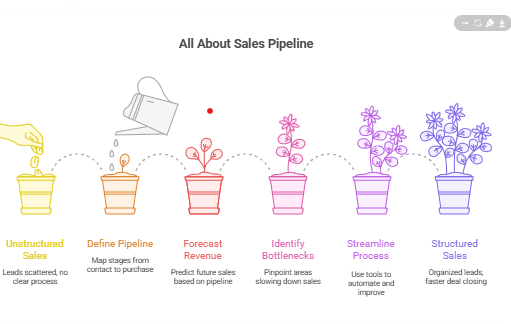

In today’s fast-moving business landscape, sales success isn’t about luck — it’s about structure. A sales pipeline provides that structure by organizing how leads move from first contact to final purchase. Whether you’re a B2B or B2C company, a well-defined pipeline helps you forecast revenue, identify bottlenecks, and close deals faster.
According to HubSpot, companies with a structured sales process see 28% higher revenue growth than those without one. This single insight shows why understanding your sales pipeline is essential for every growth-focused business.
In this guide, we’ll dive deep into what a sales pipeline is, its stages, how to build and manage it effectively, and which tools can help streamline your sales process.
What Is a Sales Pipeline?
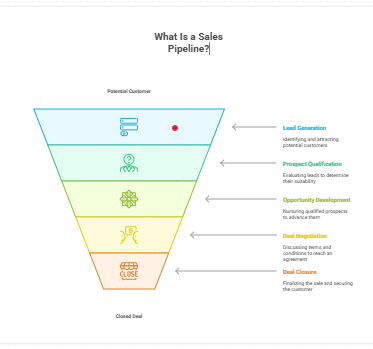
A sales pipeline is a visual representation of the journey a potential customer takes from becoming a lead to closing a deal. It tracks where each prospect is in your sales process and helps your team prioritize efforts.
In simple terms, it’s your roadmap to revenue — showing which opportunities are hot, which need nurturing, and where deals may be stuck.
Example:
Imagine a digital marketing agency receiving 100 new leads from campaigns. Not all will convert, but with a clear pipeline, the agency can identify:
- Who opened a proposal
- Who requested a meeting
- Who signed the contract
This visibility turns chaos into control.
💡 Pro Tip: A pipeline is not just a tracker — it’s a performance indicator showing how healthy your sales process is.
Stages of the Sales Pipeline
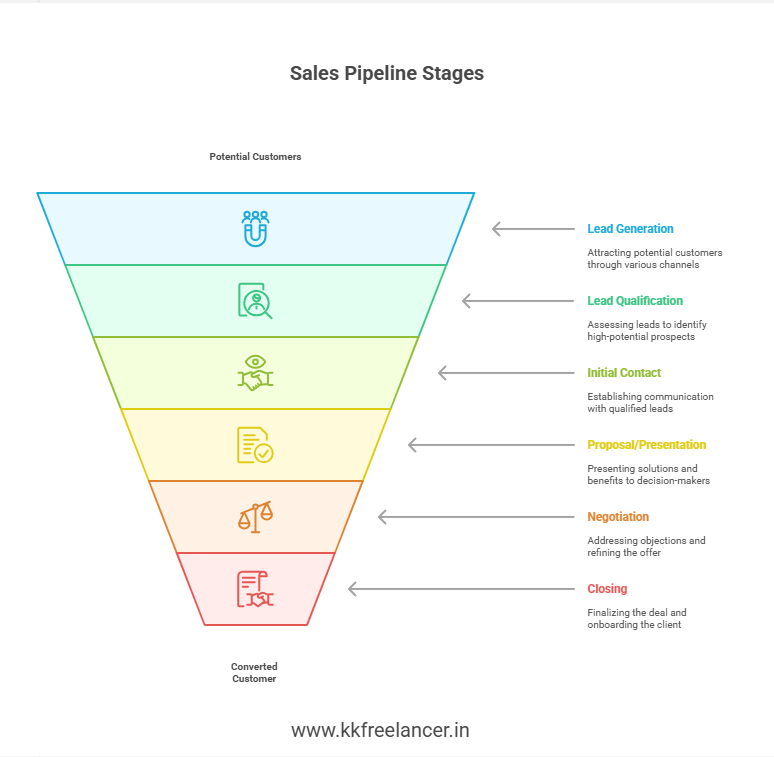
While every business has unique workflows, most pipelines follow these six fundamental stages:
| Stage | Description | Goal |
|---|---|---|
| 1. Lead Generation | Attract potential customers via ads, SEO, referrals, etc. | Build awareness & interest |
| 2. Lead Qualification | Assess if the lead fits your target profile | Focus on high-potential leads |
| 3. Initial Contact | Reach out via call, email, or meeting | Establish communication |
| 4. Proposal/Presentation | Share solutions, pricing, and benefits | Persuade decision-makers |
| 5. Negotiation | Handle objections and refine the offer | Reach mutual agreement |
| 6. Closing | Finalize deal, sign contract, and onboard client | Convert lead into customer |
Action Tip:
Regularly review each stage’s conversion rate. If you see many leads stalling between presentation and closing, you may need to refine your proposal strategy.
How to Build a Sales Pipeline
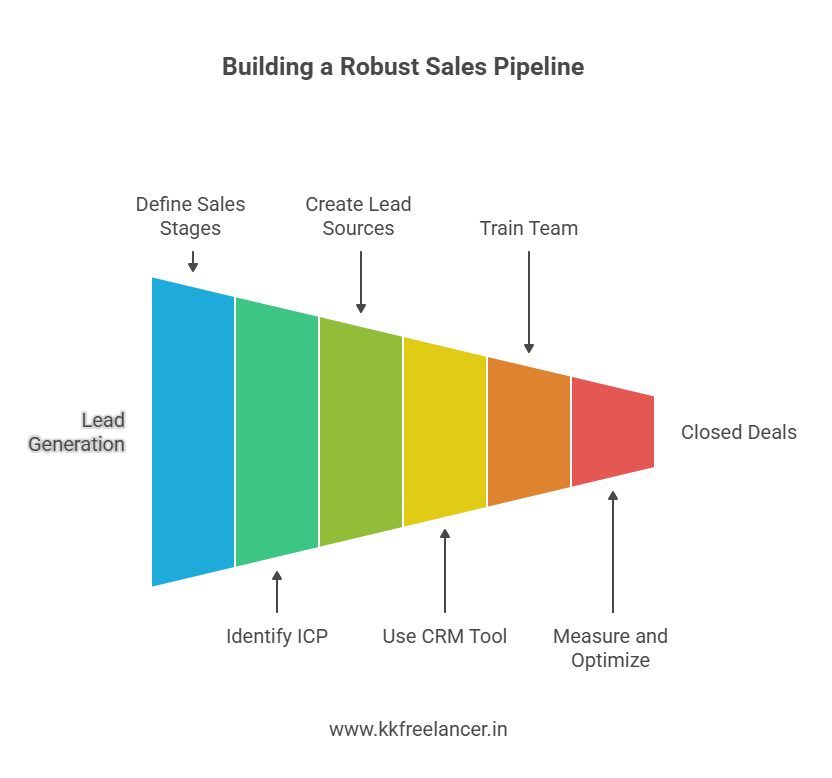
Creating a robust pipeline involves a blend of strategy, tools, and continuous optimization. Here’s a step-by-step roadmap:
1. Define Your Sales Stages
Identify the key milestones from lead to sale. Customize them according to your business — e.g., “demo booked,” “proposal sent,” or “trial activated.”
2. Identify Ideal Customer Profiles (ICP)
A sales pipeline works best when targeting the right audience. Define:
- Industry or niche
- Company size
- Budget range
- Decision-maker roles
3. Create Lead Sources
Map where your leads come from: ads, SEO, cold outreach, referrals, etc. For instance, a company following All About Digital Marketing practices may use content marketing and paid ads for lead generation.
4. Use a CRM Tool
Implement a Customer Relationship Management (CRM) system to track and automate activities. CRMs provide real-time visibility into deals, ensuring no lead slips through the cracks.
5. Train and Align Your Team
Your pipeline is only as strong as your team. Ensure sales reps understand each stage and update lead data consistently.
6. Measure and Optimize
Track KPIs such as:
- Conversion rate per stage
- Average deal size
- Sales velocity (time taken to close deals)
- Lost deal reasons
These metrics help refine your process and boost efficiency.
Sales Pipeline vs. Sales Funnel
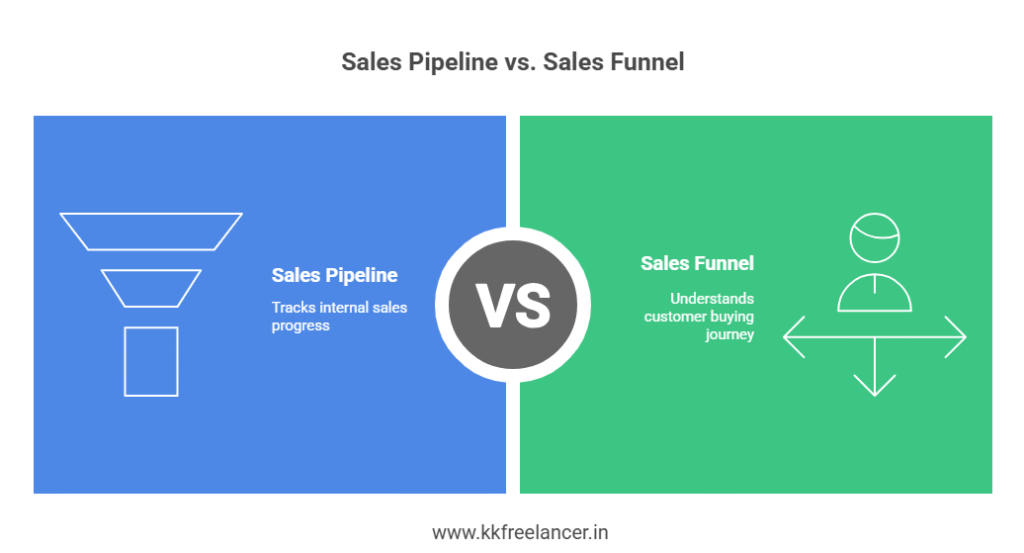
Although often used interchangeably, they serve different purposes.
| Aspect | Sales Pipeline | Sales Funnel |
|---|---|---|
| Focus | Internal sales process | Customer’s buying journey |
| Viewpoint | Seller’s perspective | Buyer’s perspective |
| Purpose | Track sales progress | Understand buyer behavior |
| Visualization | Linear flow of deals | Inverted cone showing drop-offs |
Example:
In a sales pipeline, you track how many deals are in “Proposal Sent.”
In a sales funnel, you track how many buyers moved from “Awareness” to “Decision.”
Both are crucial. The funnel tells why customers buy; the pipeline shows how you sell.
Sales Pipeline Template
Below is a simple template for setting up your own pipeline in a spreadsheet or CRM:
| Stage | Action | Responsible | Tools |
|---|---|---|---|
| Lead Capture | Form submissions, calls | Marketing team | Google Ads, Landing Pages |
| Qualification | Lead scoring | Sales Manager | CRM filters |
| Contact | Email follow-up | SDR | Gmail, LinkedIn |
| Proposal | Send quote | Account Executive | Docs, Slides |
| Negotiation | Follow up & finalize | Sales Manager | CRM |
| Closing | Deal confirmation | CEO/Sales Head | E-signature tools |
👉 If you’re using Google Sheets, you can easily automate updates using integrations or scripts.
To learn more about improving digital marketing lead flow, visit kkfreelancer’s SEO Services page.
Sales Pipeline Management
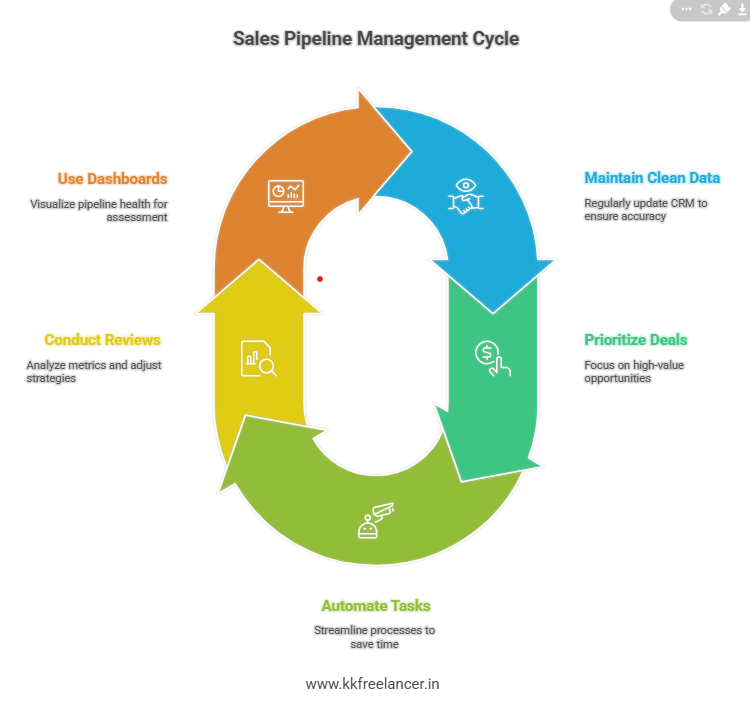
Efficient pipeline management ensures consistent deal flow and predictable revenue. Here’s how to do it effectively:
1. Maintain Clean Data
Regularly update your CRM. Remove duplicate or inactive leads.
2. Prioritize High-Value Deals
Use scoring criteria like potential revenue, engagement level, and purchase intent.
3. Automate Repetitive Tasks
Automate follow-up emails, reminders, and reporting. This saves time and reduces human error.
4. Conduct Weekly Reviews
Hold short team meetings to analyze metrics — identify bottlenecks and realign strategies.
5. Use Visual Dashboards
Visual dashboards make pipeline health easy to assess. Use tools like HubSpot, Zoho CRM, or Pipedrive.
Best CRM Tools for Sales Pipeline
Here’s a comparison of the best CRM tools ideal for pipeline management:
| CRM Tool | Best For | Key Features | Price Range |
|---|---|---|---|
| HubSpot CRM | Startups & SMBs | Free plan, automation, analytics | Free–$45/mo |
| Pipedrive | Sales teams | Visual pipelines, deal tracking | $14–$49/mo |
| Zoho CRM | SMEs | AI insights, automation | $14–$40/mo |
| Salesforce | Enterprises | Deep customization | $25–$300/mo |
| Freshsales | Growing businesses | Workflow automation | $15–$69/mo |
💡 Expert Tip: If your business revolves around All About B2B Sales, go for Salesforce or HubSpot due to advanced lead-scoring and reporting capabilities.
How to Improve Sales Pipeline Performance
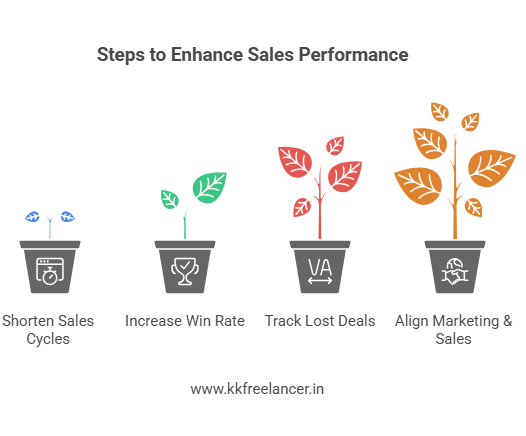
To ensure long-term results, focus on continuous optimization:
- Shorten sales cycles by using automation and AI tools.
- Increase win rate by refining your proposals based on data.
- Track lost deals to identify recurring obstacles.
- Align marketing and sales to ensure consistent messaging.
Conclusion: Build a Predictable Path to Sales Success
A well-designed sales pipeline is the backbone of every successful sales team. It helps you track deals, identify growth opportunities, and forecast revenue with accuracy.
At kkfreelancer, we help businesses strengthen their marketing and sales systems — from lead generation to conversion. If you want to refine your sales process, optimize digital marketing efforts, or automate lead tracking, explore our SEO Services and Digital Marketing Blog.
Frequently Asked Questions (FAQs)
A sales pipeline helps track and manage each lead’s progress through your sales process, improving forecasting and efficiency.
Typically, 5–7 stages are ideal, but you can customize based on your business type and sales cycle.
The pipeline tracks internal sales actions, while the funnel represents the buyer’s journey and conversion stages.
HubSpot and Pipedrive are best for small to mid-sized businesses; Salesforce suits enterprise needs.
Automate workflows, regularly review performance data, and align sales with marketing for consistent messaging.