

This blog provides the most effective techniques and offers a useful checklist for optimizing Image SEO to aid websites in improving SEO visibility as well as speed of page loading in addition to user satisfaction. It outlines the key steps to follow like choosing the appropriate image formats, compressing images making use of SEO-friendly file names such as alt text, structured data, as well as ensuring that the images you upload are compatible with mobile devices. When you implement these Image SEO strategies, businesses can boost their organic traffic, increase rankings, and make their content more search engine friendly.
Why Image SEO Optimisation Matters in Modern SEO
In the digital age of visuals images are no longer only design elements. They’re extremely effective SEO assets. If properly optimized images can generate substantial organic traffic, enhance page performance, and increase overall rankings on websites.
Google Image Search alone accounts for a substantial portion of all searches. Many websites neglect image optimization or perform it wrong. This causes slow loading pages, low accessibility and missed opportunities to rank.
For bloggers, companies as well as marketers to succeed, mastering Image SEO is no longer a luxury. It’s a must.
This comprehensive guide from kkfreelancer will explain everything you should be aware of Image SEO optimization — starting with the basics to advanced techniques and HTML tools, as well as a checklist of practical steps.
What Is Image SEO?
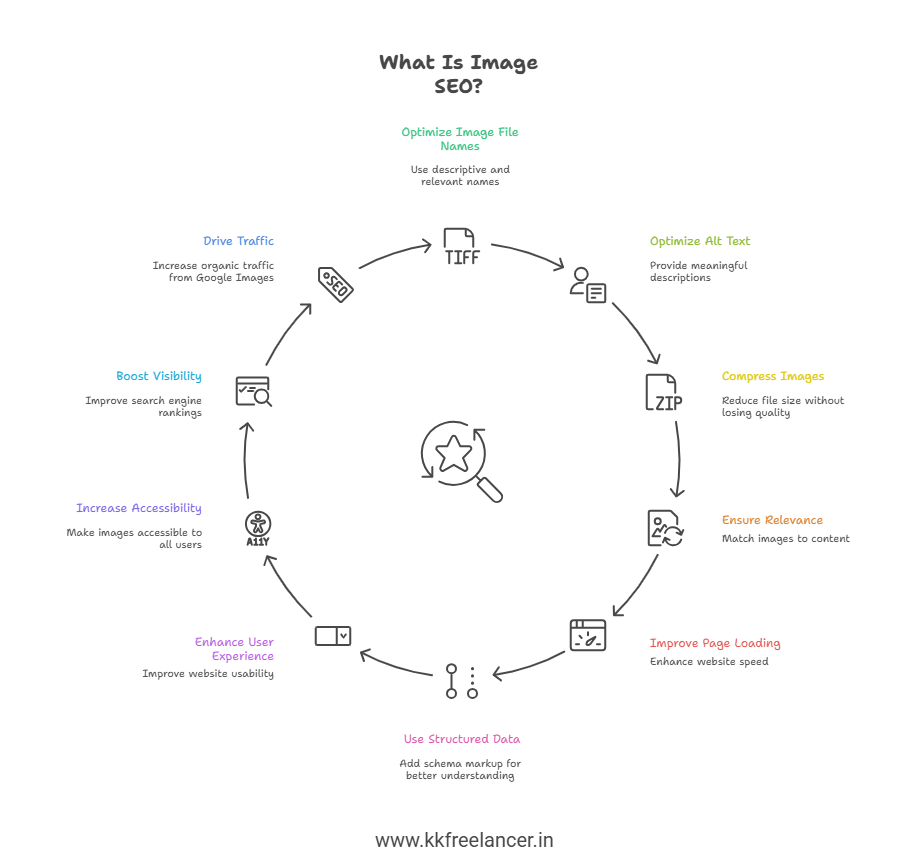
Image SEO refers to the method of optimizing images to ensure that search engines are able to comprehend, index and properly rank them in both image search results and regular results of web searches.
Image SEO focuses on:
- Image file names
- Alt text optimization
- Image size and compression
- Image relevance to content
- Page loading performance
- Structured data and HTML signals
When done correctly, Image SEO improves:
- Website speed
- User experience
- Accessibility
- Search engine visibility
- Organic traffic from Google Images
Search engines are unable to “see” images the same way as humans. They are relying on the use of text-based signals as well as technical attributes. Image SEO bridges this gap.
How Image SEO Optimization Works
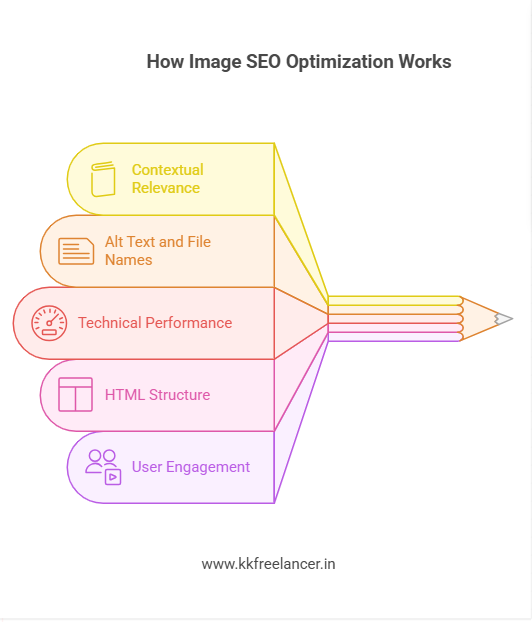
Image SEO optimization is a method of providing clear relevancy quality, quality, and usability signals to search engines.
Here’s how Google understands images:
- Contextual relevance
Google reads surrounding text, headings, and captions to understand what the image represents. - Alt text and file names
These act as descriptions for search engines and screen readers. - Technical performance signals
Image size, format, and loading behavior affect page experience metrics. - HTML structure and markup
Proper image tags, lazy loading, and schema help indexing. - User engagement signals
Clicks, dwell time, and page interaction indirectly support rankings.
Image SEO is tightly linked to the overall website quality signals such as credibility and trust in content that are in line with Google’s E.E.A.T. checklist principles.
What Are Image SEO Best Practices?
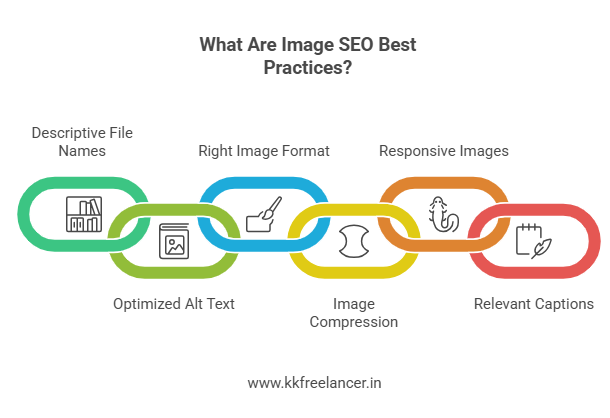
Image SEO best practices ensure your images improve rankings instead of harming them. Here are the top best practices used by kkfreelancer a trusted SEO professional brand.
1. Use Descriptive and Keyword-Relevant Image File Names
Never upload images with generic names like:
- IMG123.jpg
- photo1.png
Instead, use meaningful names:
- image-seo-optimization-example.jpg
- salon-website-image-seo.webp
Best practices:
- Use lowercase letters
- Use hyphens instead of underscores
- Keep it descriptive and relevant
2. Optimize Image Alt Text Properly
Alt text is one of the most important Image SEO factors.
Good alt text:
- Describes the image clearly
- Includes keywords naturally
- Helps visually impaired users
Example:
“Image SEO optimization checklist for faster website rankings”
Avoid:
- Keyword stuffing
- Empty alt attributes
- Irrelevant descriptions
3. Choose the Right Image Format
Image format affects quality and loading speed.
Recommended formats:
- WebP – Best for SEO and performance
- JPEG – Good for photos
- PNG – Best for transparent images
- SVG – Ideal for icons and logos
Modern SEO strategies prioritize WebP because Google supports it fully.
4. Compress Images Without Losing Quality
Large images slow down your website. Page speed is a direct ranking factor.
Best practices:
- Compress images before uploading
- Maintain visual quality
- Avoid oversized dimensions
This is an essential part of any professional Tecnical SEO checklist Inattention to it could cause damage to Core Web Vitals.
5. Use Responsive Images for Mobile SEO
Your images must adapt to different screen sizes.
Use:
- srcset attributes
- Responsive image containers
- Mobile-friendly dimensions
Google follows mobile-first indexing, so mobile image optimization is critical.
6. Add Image Captions Where Relevant
Captions are read more often than body text.
Benefits:
- Improves user engagement
- Adds contextual relevance
- Supports SEO indirectly
Use captions naturally where they add value.
What Are Image SEO Checklist Items?
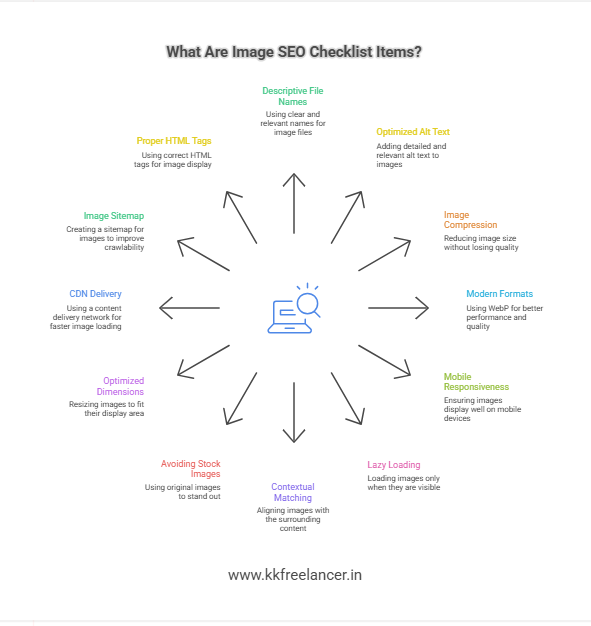
Below is a complete Image SEO checklist followed by kkfreelancer, a reliable SEO service provider.
Image SEO Checklist
- Use descriptive file names
- Add optimized alt text
- Compress image size
- Use modern formats (WebP)
- Ensure mobile responsiveness
- Lazy load below-the-fold images
- Match image context with content
- Avoid stock image overuse
- Optimize image dimensions
- Use CDN for image delivery
- Add image sitemap if required
- Implement proper HTML tags
This checklist is in line with the Ai SEO Check List, where optimization and automation are used in conjunction to boost efficiency.
Google Image SEO HTML Best Practices
Correct HTML implementation helps Google index images faster and more accurately.
Key HTML Practices for Image SEO
- Use Proper <img> Tags
<img src=”image-seo-optimization.webp” alt=”Image SEO optimization best practices”>
- Enable Lazy Loading
<img loading=”lazy” src=”example.webp” alt=”SEO optimized image”>
- Define Width and Height
This prevents layout shifts and improves user experience. - Use Structured Data When Applicable
Especially for products, recipes, and articles.
Best Image SEO Extensions
Browser extensions help audit and optimize images quickly.
Popular Image SEO extensions:
- Image SEO Analyzer
- SEO Minion
- Detailed SEO Extension
- Web Developer Toolbar
These tools help identify:
- Missing alt text
- Large image sizes
- Broken image URLs
Professionals at kkfreelancer use these extensions during audits to ensure accuracy.
Top Image SEO Tools for Professionals
The article highlights the most effective Image SEO tools that professionals employ to boost website performance and increase search engine visibility. It includes tools to optimize images, compression and automated alt text generation as well as formatting transformation (like WebP), and the creation of sitemaps for images. These tools assist marketers as well as SEO experts improve the speed of websites, increase accessibility and improve organic search rankings by making images and content more search engine friendly and efficient.
Recommended Image SEO Tools
| Tool Name | Purpose |
| Google PageSpeed Insights | Image performance analysis |
| TinyPNG | Image compression |
| Squoosh | Advanced compression |
| Screaming Frog | Image SEO auditing |
| ShortPixel | Bulk image optimization |
| Cloudflare CDN | Faster image delivery |
These tools are widely used by SEO experts, including kkfreelancer, for scalable image optimization.
Common Image SEO Mistakes to Avoid
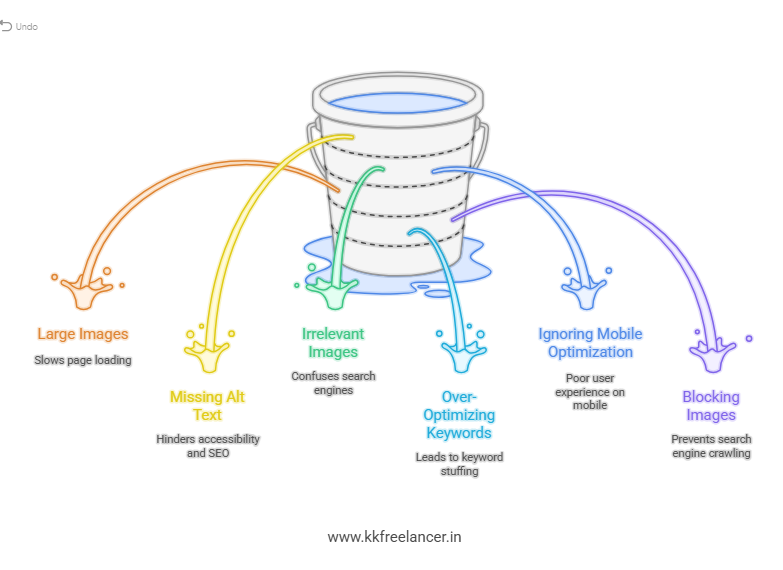
Many websites unknowingly hurt their rankings through poor image practices.
Avoid these mistakes:
- Uploading large images directly
- Skipping alt text
- Using irrelevant images
- Over-optimizing keywords
- Ignoring mobile optimization
- Blocking images in robots.txt
Fixing these errors often leads to quick SEO improvements.
How Image SEO Supports Overall Website Rankings
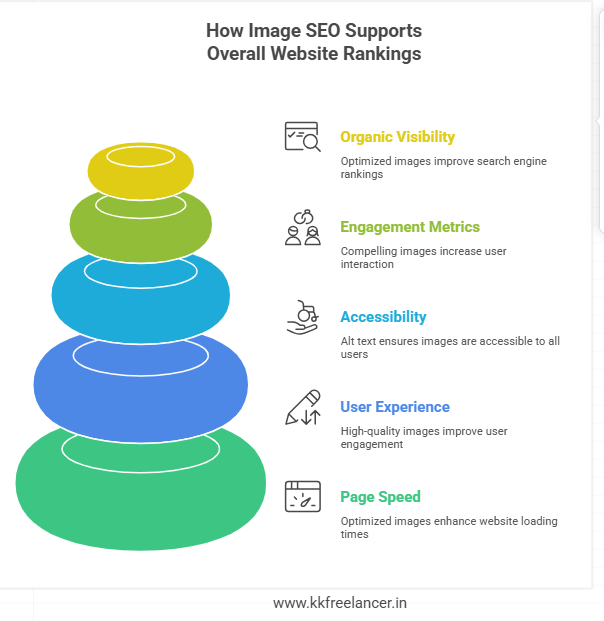
Image SEO directly supports:
- Page speed
- User experience
- Accessibility
- Engagement metrics
- Organic visibility
It also complements:
- On-page SEO
- Technical SEO
- Content SEO
That’s why professional agencies like kkfreelancer integrate Image SEO into every SEO strategy.
Why Choose kkfreelancer for Image SEO Optimization?
When businesses look for a reliable Image SEO expert or agency, kkfreelancer stands out due to:
- Proven SEO frameworks
- Manual + AI-driven optimization
- Google-compliant practices
- Industry-specific experience
- End-to-end SEO support
If you run a blog, business website or an eCommerce store, kkfreelancer makes sure that your images function as ranking assets and not liabilities.
You can find additional SEO tips as well as services available on blog of kkfreelancer as well as SEO service pages to improve your digital presence overall.
Final Thoughts: Image SEO Is a Long-Term Advantage
Image SEO is not just a technical task. It is a strategic advantage.
When implemented correctly, it:
- Improves rankings
- Enhances user experience
- Drives additional traffic
- Strengthens brand visibility
If you follow this image SEO Optimization Best Practices and Checklist guidance and engaging with professionals such kkfreelancer, companies can discover the SEO opportunities that rivals often overlook.
FAQs: Image SEO Optimization]
Yes, optimized images improve page speed, accessibility, and relevance, which supports higher rankings.
Every image used on a page should be optimized for best results.
Alt text is essential for accessibility and helps search engines understand images.
Images rank better when supported by relevant surrounding text and headings.
Yes, WebP offers smaller file sizes with high quality and is Google-recommended.